Know what triggered the alarm before you reach the panel
When the alarm sounds, you need information, not guesswork. Magnifire puts the details in your hands before you're out of your chair.
You're responding blind
The alarm goes off and you move. That's the training. But you're moving without knowing what triggered it, which zone it's in, or whether it's a genuine alarm or a fault. You reach the panel, try to interpret a cryptic display under pressure, and make decisions based on whatever you can piece together in the moment. If it's a false alarm, you've already evacuated the floor. If it's real, you've lost critical seconds working it out.
-
 Reaching the fire panel with no idea what triggered the alarm
 - Evacuating without knowing which zone or detector activated
- No way to communicate alarm details to occupants quickly
- Relying on the panel display alone during high-stress situations
How Magnifire helps
Instant alerts via app or SMS with zone, device, and event type, so you have context before you reach the panel.

Real-Time Monitoring
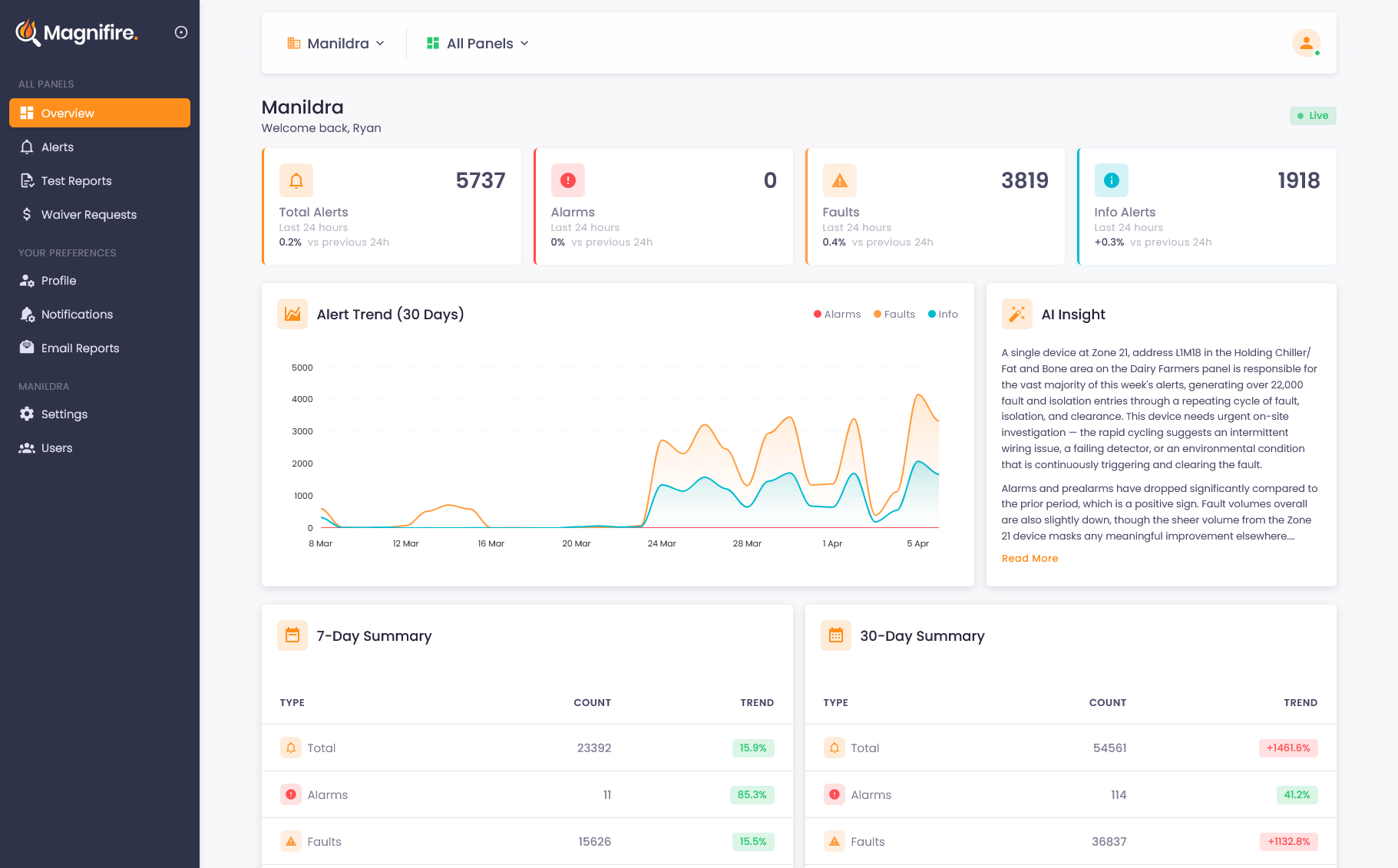
A live dashboard showing every panel's status, alert trends, and AI-generated insights, updating in real time, from anywhere.
Learn more →
Alert Intelligence
Instant alerts via app or SMS the moment an alarm is raised, fully configurable for any event type, with AI that translates cryptic panel messages into plain English so you know what to do.
Learn more →
Site Maps & Wallboard
Every detector, sprinkler, and call point pinned to your building's own block plan, so every alert shows you where it is. Plus a control room wallboard that brings the site in alarm up on the screen automatically.
Learn more →
Test Mode & Compliance
One-click test mode with notification suppression, automatic event tagging, and AS 1851 compliant PDF reports for every test session.
Learn more →
Scheduled Reports
Daily, weekly, and monthly fire system reports delivered to your inbox, keeping your team informed without anyone having to log in.
Learn more →Instant context changes everything
When a Magnifire-connected panel triggers an alarm, you get a notification via app or SMS within seconds. Not just 'alarm activated', but which zone, which device, and what type of event. Smoke detector or manual call point. Ground floor or level 12. You know before you stand up whether this is a real alarm, a known fault, or a test. You can communicate specifics to occupants, direct the response to the right area, and make better decisions under pressure, because you're working with information, not adrenaline.
- App or SMS arrives within seconds with zone, device, and event type included
- Know immediately whether it's an alarm, fault, or test event
- AI classification explains the event in plain language
- Coordinate faster with specific information to share with occupants
Know which part of the building to head for
A zone number means something if you know the building well. In an evacuation, under pressure, possibly on a site you only cover occasionally, a marker on the plan is faster to read and much harder to misinterpret. The alert opens on the device that raised it, and you can bring the map up full screen on your phone on the way to the panel.
- The activation shown as a marker on the building's plan, not just a zone number
- Open it straight from the alert on your phone, without waiting to reach the panel
- Recent activity nearby, so you can see whether more than one device has gone
- The same plan the fire control room and the brigade are working from
What changes when you have the details
Respond with confidence
When you know the zone, the device, and the event type before reaching the panel, you can make informed decisions instead of reactive ones. Confidence under pressure comes from having information.
Communicate specifics
Instead of "there's been an alarm", you can tell occupants which zone is affected and what type of event triggered it. Specific information reduces panic and improves compliance.
Reduce unnecessary evacuations
When you can see that the event is a known fault rather than a genuine alarm, you can respond appropriately, without evacuating an entire building for a faulty detector.
Better post-event records
Every event is logged with timestamps, classifications, and details. When you need to report what happened and when, the data is already there. No relying on memory or handwritten notes.
See what you've been missing
Whether you own, manage, or maintain fire systems, the visibility changes everything. We'll show you exactly how it works for your situation.